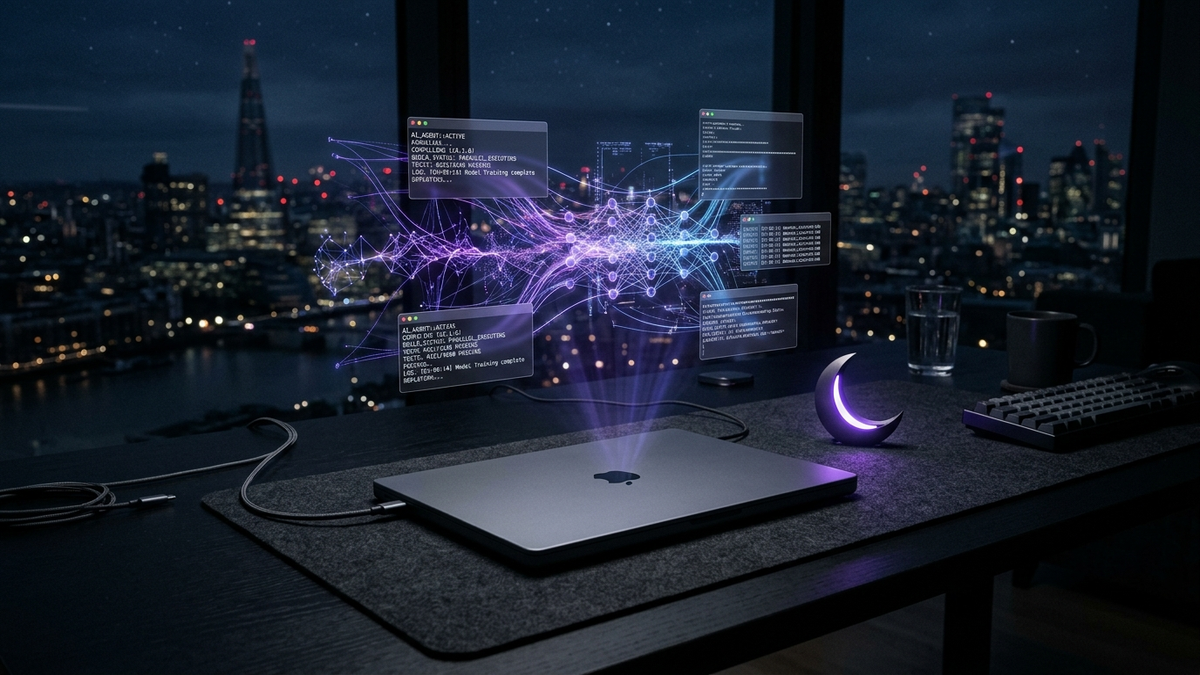
Unattended Overnight Agent Workflows: How to Run Autonomous Coding Sprints on Apple Silicon with Zero Sleep Interruptions
AgDex Systems & Architecture Team••14 min read•Apple Silicon & Autonomous Agents
Executive Technical Brief
Delegating complex software sprints to autonomous coding agents overnight is the defining engineering paradigm of 2026. However, closing your MacBook Pro lid abruptly halts background agent processes, severing remote terminal connections and freezing test suites within minutes. This systems guide explores Apple Silicon power management internals and details how pairing native CLI keep-awake daemons with standardized agent skill protocols enables 100% unattended, safe overnight development sprints.
Throughout 2025 and 2026, autonomous engineering agents like Claude Code, OpenAI Codex, and Antigravity transformed developer productivity from single-function code generation into hours-long asynchronous execution. Engineers routinely delegate multi-hour workloads before stepping away: extensive AST refactoring across legacy codebases, end-to-end integration test runs, and cross-platform Docker compilations. However, when working on modern Apple Silicon MacBooks (M2 through M5 architectures), developers encounter an immediate hardware hurdle: the lid-closed sleep assertion enforced by the Apple Power Management subsystem.
Under standard macOS operation, closing the MacBook lid signals the IOPMrootDomain kernel power manager to transition the machine from an active compute state into deep sleep. While traditional background processes on stationary desktops continue unhindered, a closed MacBook halts all unprivileged thread scheduling, suspends execution loops, and sends a hardware-level sleep signal across all ARM compute clusters. Background Node.js, Python, or Rust compiler processes immediately stop receiving CPU cycles.
Developers historically turned to command-line utilities like caffeinate or third-party menu bar items to prevent idle sleep. However, caffeinate only inhibits idle sleep timeouts while the lid remains physically open. Once the lid closes, macOS demands active clamshell mode requirements: an external power adapter, an external display drawing an active video signal, and an external mouse or keyboard. For mobile developers working from home, traveling, or leaving their laptop on an office desk overnight without connected peripherals, running unattended overnight agent runs was previously impossible without risky kernel modifications.
2. The Physical & Network Boundary: What Keeps Awake vs What Drops
Before implementing an overnight execution pipeline, software architects must draw a strict boundary between system compute preservation and persistent network connectivity. A widespread misconception among engineers is assuming that keeping the Mac awake automatically guarantees an uninterrupted internet connection.
In Apple Silicon power architecture, power management operates across discrete operational tiers. Even when CPU execution is held awake, macOS network subsystems can aggressively downclock wireless interfaces or trigger temporary Wi-Fi power-saving sleep when the built-in display panel is deactivated. If an autonomous agent relies purely on continuous streaming round-trips to remote cloud APIs, an unhandled transient Wi-Fi fluctuation can terminate the entire sprint prematurely.
System Compute Preservation: CPU cores, unified memory registers, disk I/O controllers, and local background daemons remain 100% active and unthrottled with the lid closed.
Remote Mobile Steering: Developers monitoring runs via Claude Code Remote Control, Cursor iOS, or mobile SSH retain socket access only as long as local Wi-Fi routing remains healthy.
Local-First Resilience: Robust agent architectures must decouple compute execution from live network streaming by employing local Git Worktrees and buffering telemetry offline.
To achieve production-grade reliability, overnight agent workflows must be structured around local idempotency. By executing test-driven iterations against local repositories and staging commits into isolated branches, an agent can continue progressing even during transient upstream network timeouts, pushing finalized pull requests only when network links re-synchronize.
3. Inside Keep Mac Awake: Native Apple Silicon Daemon & Watchdog Architecture
Solving the clamshell constraint without clunky external hardware dongles or risky kernel patches requires a dedicated system-level utility. Keep Mac Awake (available at keepmacawake.com) is built specifically for Apple Silicon MacBooks running macOS 13 or later (Apple Silicon M-series), allowing the laptop to maintain high-performance execution with its lid closed and internal display powered off.
Unlike legacy hacks that execute unmonitored root scripts, Keep Mac Awake operates via a lightweight native daemon supervised by an independent hardware sleep watchdog. This architecture guarantees deterministic power management transitions across all operational phases:
Granular Session Durations: Developers and agents can schedule sessions for 1h, 4h, 8h, 24h, or unlimited runs, preventing accidental indefinite power draw.
Battery Threshold Failsafe: When operating on DC battery power, configurable thresholds (e.g., stopping when battery reaches 20%) trigger automatic clean shutdown before deep discharge.
Independent Sleep Watchdog: If an autonomous agent process crashes, encounters an uncaught exception, or hangs, the external watchdog daemon automatically restores default macOS sleep rules.
Mute-on-Lid-Close Audio Guard (v1.0.10+): Since version 1.0.10, an optional switch (off by default) mutes the Mac's sound while a session is live, the lid is closed, and no external display is active—keeping overnight agent completion chimes silent. Enable via Terminal with keepmacawake config set --mute-on-lid-close on (reflected as config.mute_on_lid_close in keepmacawake status --json); audio automatically returns as soon as the lid opens or a display powers on.
The system ensures complete zero-telemetry privacy. The daemon operates locally without cloud accounts or analytics tracking, making it fully compliant with enterprise security standards for proprietary codebases.
4. The Agentic Protocol: CLI JSON, Exit Codes & The Agent Skill
For autonomous agent workflows, graphical menu bar interfaces are insufficient. Engineering teams require deterministic command-line contracts that agents can query and control programmatically. The keepmacawake CLI contract exposes a clean, non-interactive interface returning single-line JSON responses on stdout and diagnostic logs on stderr.
+─────────────────────────────────────────────────────────────────────────────────────────────────+
|                  Table 1: keepmacawake CLI Exit Codes & Autonomous Agent Actions                |
+───────────┬──────────────────────┬──────────────────────────────────────────────────────────────+
| Exit Code | Reason / Status      | Autonomous Agent Triage & Fallback Action                    |
+───────────┼──────────────────────┼──────────────────────────────────────────────────────────────+
| 0         | success              | Session confirmed. Proceed to spawn overnight background run.|
| 1         | request failed       | General failure. Log diagnostic JSON to stderr; retry once.  |
| 2         | invalid arguments    | Syntax error. Validate --hours (1-168) or duration bounds.   |
| 4         | action/auth required | Human action required (plug in AC power, purchase, or sudo). |
| 5         | conflicting state    | A session already runs or no session to stop. Query status.  |
| 6         | service unavailable  | Daemon not running or subshell sandbox blocks IPC socket.    |
| 7         | timeout              | Daemon response exceeded timeout (default 15s). Re-query.    |
+───────────┴──────────────────────┴──────────────────────────────────────────────────────────────+
Autonomous agents interact with the daemon using standardized commands: keepmacawake status --json to inspect session state, keepmacawake start --hours N --json to inhibit sleep for a specific time window, and keepmacawake stop --json to release sleep assertions upon sprint completion. To ensure deterministic triage, the CLI implements standardized exit codes:
## Autonomous Overnight Keep-Awake Discipline (CLAUDE.md / AGENTS.md)

This Mac has Keep Mac Awake installed (`/usr/local/bin/keepmacawake`).
Before initiating any background task exceeding 15 minutes or intended for overnight execution
(e.g., test suites, deep refactorings, package builds, long-running agent loops):
1. Query session state: `keepmacawake status --json`
2. If idle, start a session padded to task duration: `keepmacawake start --hours N --json`
3. Execute the workload inside an isolated Git Worktree.
4. Upon completion or fatal test failure, release the sleep assertion: `keepmacawake stop --json`
Never run with `sudo`. If exit code is 4, inspect `error.code` and halt safely.
Official Guide: https://keepmacawake.com/agents.md
By defining a standing rule inside project instructions (such as CLAUDE.md for Claude Code or AGENTS.md for OpenAI Codex), the agent natively assumes responsibility for its own hardware lifecycle, requesting keep-awake sessions before long-running tasks and relinquishing them once test coverage passes.
5. End-to-End Walkthrough: An Autonomous Overnight TDD Sprint
To demonstrate the practical power of this toolchain, consider a realistic enterprise scenario: delegating an extensive FastAPI microservice refactoring and 100% pytest test suite sprint before going to sleep at midnight.
The developer issues a single top-level goal in their terminal: 'Refactor the billing module schemas to Pydantic v2 and ensure all integration tests pass.' The autonomous agent queries the Keep Mac Awake daemon, identifies that the task will require approximately 3 hours, claims a 4-hour keep-awake allocation, and signals the developer that the lid can now be safely closed. The sequence below details the automated execution flow:
#!/usr/bin/env bash
# overnight_sprint.sh: Autonomous keep-awake wrapper for Claude Code / Codex
set -euo pipefail

TASK_HOURS=4
echo "[*] Step 1: Checking Keep Mac Awake daemon status..."
STATUS_JSON=$(keepmacawake status --json || true)

if echo "$STATUS_JSON" | grep -q '"live":true'; then
    echo "[!] Active session already in progress. Continuing..."
else
    echo "[*] Step 2: Requesting ${TASK_HOURS}-hour sleep inhibition..."
    keepmacawake start --hours "$TASK_HOURS" --json
fi

# Trap to guarantee sleep restore even if agent or tests abort
cleanup() {
    echo "[*] Step 4: Releasing sleep inhibition and restoring default power management..."
    keepmacawake stop --json || true
}
trap cleanup EXIT INT TERM

echo "[*] Step 3: Executing multi-agent refactoring sprint inside isolated Git Worktree..."
git worktree add ../sprint-nightly -b feat/payment-refactor
cd ../sprint-nightly

# Run test-driven development loop
pytest tests/unit/ --maxfail=1
pytest tests/integration/

echo "[✓] Sprint completed successfully. Clean exit."
Throughout the night, the MacBook Pro remains completely closed on the developer's desk. The internal Liquid Retina display powers down completely to prevent panel wear and minimize power draw, while the Apple Silicon CPU cores execute the refactoring sprint at full speed inside an isolated Git Worktree. Once all test suites report zero errors, the agent executes its cleanup trap, invokes keepmacawake stop --json, and allows macOS to gracefully enter deep sleep.
6. Architectural Trade-off Matrix: 4 Approaches to Overnight Mac Runs
When engineering an overnight developer workstation, technical teams evaluate multiple competing approaches. Table 2 provides an objective architectural comparison across the four predominant methods for running overnight compute on macOS:
+─────────────────────────────────────────────────────────────────────────────────────────────────+
|               Table 2: Architectural Comparison of macOS Overnight Execution Methods            |
+──────────────────────┬──────────────────┬──────────────┬───────────────┬────────────────┬───────+
| Execution Method     | Closed Lid W/O   | Battery Cut  | Agent CLI     | Crash Watchdog | Cost  |
|                      | External Display | Protection   | JSON Schema   | Recovery       | Model |
+──────────────────────┼──────────────────┼──────────────┼───────────────┼────────────────┼───────+
| Apple Clamshell Mode | NO (Requires 3   | NO (Requires | NO (Hardware  | N/A            | Free  |
|                      | external cables) | AC plugged)  | sensor-based) |                |       |
+──────────────────────┼──────────────────┼──────────────┼───────────────┼────────────────┼───────+
| caffeinate -s        | NO (Idle sleep   | NO (Runs to  | NO (No JSON,  | NO (Orphaned   | Free  |
|                      | only, lid sleeps)| 0% battery)  | binary exit)  | assertion risk)|       |
+──────────────────────┼──────────────────┼──────────────┼───────────────┼────────────────┼───────+
| sudo pmset           | YES (Root hack,  | NO (Drains   | NO (Unparsed  | NO (Stuck in   | Free  |
| disablesleep 1       | unsafe in bag)   | completely)  | sysctl text)  | awake state)   |       |
+──────────────────────┼──────────────────┼──────────────┼───────────────┼────────────────┼───────+
| Keep Mac Awake       | YES (Native M-   | YES (Custom  | YES (Strict   | YES (Hardware- | $9 /  |
| Daemon + CLI         | series daemon)   | % threshold) | JSON protocol)| backed daemon) | 40%OFF|
+──────────────────────┴──────────────────┴──────────────┴───────────────┴────────────────┴───────+
While native clamshell mode works reliably in stationary desk setups with multiple connected peripherals, it fails completely for mobile developers. Conversely, low-level sysctl hacks like sudo pmset disablesleep 1 introduce catastrophic thermal runaway hazards if an awake laptop is placed inside a backpack. Dedicated native daemons like Keep Mac Awake provide the only solution combining zero hardware dongles, automated timeout watchdogs, and machine-readable agent contracts.
7. Production Checklist, Community Perks & AgDex Integration
Deploying autonomous overnight agent sprints into daily production requires adherence to strict physical and operational safety protocols. Engineers should verify three foundational prerequisites before leaving laptops unattended:
Hard Surface Ventilation: Always leave closed MacBooks on a flat, solid desk. Never place an active laptop on bedding, sofas, or inside a backpack, as Apple Silicon still dissipates thermal wattage under continuous compilation loads.
AC Power Coupling: Whenever possible, keep the MacBook connected to its MagSafe or USB-C power adapter. If running on battery, enforce a strict 20% minimum threshold via CLI config.
Isolated Git Worktrees: Ensure agents execute their modifications inside independent Git Worktrees (e.g., via Paseo or git worktree) to prevent accidental collisions with uncommitted working directory state.
The AgDex.ai Directory indexes this complete software stack alongside our interactive 3-Step Stack Finder, providing verified blueprints and architectural guidance for tools like Keep Mac Awake and Claude Code to empower developers building resilient, autonomous agent workflows.
References & Verified Tools
All utilities, protocols, and documentation referenced in this engineering guide are verified and publicly accessible:
Q1: Will running high-intensity agent compilation overnight damage my MacBook screen or cause overheating?
No, provided the laptop is placed on a hard, flat surface. When the lid is closed, macOS completely powers off the display backlight and panel circuitry, generating zero display heat. Apple Silicon's internal thermal management dynamically regulates fan speeds and CPU throttling to maintain safe silicon operating temperatures.
Q2: Why does Keep Mac Awake require Apple Silicon and macOS 13 or later?
The utility relies directly on Apple Silicon's unified power management architecture and modern macOS 13+ system power assertion APIs. Intel-based Mac architectures utilize legacy ACPI sleep states that do not support non-display clamshell execution without full external peripheral handshakes.
Q3: Can an autonomous agent running inside a Docker container control keepmacawake?
By default, containerized subshells and virtual sandboxes isolate IPC sockets from the host system service, which causes keepmacawake to return Exit Code 6 (service unavailable). For autonomous orchestration, the agent command runner must execute the CLI directly on the macOS host or via an authorized host bridge.
Q4: What happens if an agent gets trapped in an infinite loop while the Mac is kept awake?
Because keepmacawake sessions are started with explicit durations (e.g., --hours 4), the hardware sleep assertion automatically expires once the timer elapses, returning the Mac to normal sleep behavior even if an agent hangs. On battery power, low-battery thresholds also force a shutdown before battery depletion.
Flujos de Trabajo Autónomos Nocturnos: Cómo Ejecutar Sprints de Agentes en Apple Silicon con la Tapa Cerrada y Cero Interrupciones
Equipo de Sistemas y Arquitectura de AgDex••14 min de lectura•Apple Silicon y Agentes Autónomos
Resumen Técnico Ejecutivo
Delegar tareas complejas de ingeniería en agentes de programación autónomos durante la noche es el paradigma de desarrollo definitivo en 2026. Sin embargo, cerrar la tapa de su MacBook Pro detiene de forma abrupta los procesos en segundo plano, interrumpiendo las sesiones remotas de terminal y congelando las suites de pruebas en cuestión de minutos. Esta guía de sistemas explora la arquitectura interna de energía en Apple Silicon y detalla cómo la integración de demonios de mantenimiento de actividad con protocolos estandarizados de habilidades de agentes permite sprints nocturnos 100% desatendidos y seguros.
1. El Dilema de la Tapa Cerrada: Por Qué la Arquitectura de Reposo de macOS Bloquea los Agentes
A lo largo de 2025 y 2026, agentes de ingeniería autónomos como Claude Code, OpenAI Codex y Antigravity transformaron la productividad de los desarrolladores, pasando de la generación de funciones aisladas a ciclos de ejecución asíncrona de varias horas. Los ingenieros delegan habitualmente cargas de trabajo nocturnas antes de retirarse: refactorizaciones profundas de AST en bases de código heredadas, ejecución de pruebas de integración de extremo a extremo y compilaciones multiplataforma en contenedores. Sin embargo, al trabajar en MacBooks modernos con Apple Silicon (arquitecturas M2 a M5), los desarrolladores se topan con un obstáculo físico inmediato: la afirmación de suspensión por tapa cerrada impuesta por el subsistema de energía de Apple.
Bajo la operación estándar de macOS, cerrar la tapa del portátil envía una señal al gestor de energía del kernel IOPMrootDomain para pasar de un estado de cómputo activo al reposo profundo. Mientras que en equipos de escritorio fijos los procesos continúan sin trabas, un MacBook cerrado suspende la planificación de hilos de usuario, congela los bucles de ejecución y emite una señal de reposo en todos los clústeres ARM. Los procesos en segundo plano de Node.js, Python o Rust dejan de recibir ciclos de CPU al instante.
Tradicionalmente, los desarrolladores recurrían a herramientas como caffeinate o utilidades de barra de menús para evitar el reposo por inactividad. No obstante, caffeinate solo inhibe el reposo mientras la tapa permanece abierta. En cuanto se cierra, macOS exige los estrictos requisitos del modo clamshell nativo: alimentación externa por cable, una pantalla externa con señal de vídeo activa y periféricos externos conectados. Para desarrolladores móviles que trabajan en remoto o viajan sin pantallas externas, ejecutar agentes de forma desatendida era imposible sin modificaciones arriesgadas en el sistema.
2. La Frontera Física y de Red: Qué se Mantiene Activo y Qué Cae
Antes de diseñar un pipeline de ejecución nocturna, los arquitectos de software deben trazar una línea estricta entre la preservación del cómputo del sistema y la conectividad de red persistente. Un error común entre ingenieros es asumir que mantener el Mac despierto garantiza automáticamente una conexión a internet ininterrumpida.
En la arquitectura de energía de Apple Silicon, la gestión energética funciona en niveles independientes. Incluso si la ejecución de la CPU se mantiene activa, los subsistemas de red de macOS pueden reducir la potencia de las interfaces inalámbricas o activar estados de ahorro de energía en la tarjeta Wi-Fi cuando el panel de pantalla integrado se apaga. Si un agente depende exclusivamente de llamadas continuas en streaming a APIs en la nube, cualquier fluctuación transitoria en el enlace Wi-Fi puede interrumpir el sprint antes de tiempo.
Preservación del Cómputo del Sistema: Los núcleos de CPU, registros de memoria unificada, controladores de disco y demonios locales permanecen 100% activos con la tapa cerrada.
Control Remoto desde el Móvil: Los desarrolladores que supervisan la tarea mediante Claude Code Remote Control, Cursor para iOS o SSH móvil mantienen el acceso por sockets siempre que la red local sea estable.
Resiliencia Local-First: Las arquitecturas de agentes robustas deben desacoplar el cómputo del streaming en vivo, utilizando Git Worktrees locales y registrando telemetría sin conexión.
Para alcanzar una confiabilidad de nivel empresarial, los flujos de trabajo nocturnos deben basarse en la idempotencia local. Al ejecutar iteraciones de prueba contra repositorios locales y consolidar commits en ramas aisladas, el agente continúa progresando incluso durante cortes temporales de red, enviando el pull request final una vez que el enlace a internet se restablece.
3. Dentro de Keep Mac Awake: Demonio Nativo en Apple Silicon y Arquitectura Watchdog
Resolver la restricción de la tapa cerrada sin hardware externo ni parches peligrosos en el kernel requiere una herramienta diseñada para el sistema. Keep Mac Awake (disponible en keepmacawake.com) está desarrollado específicamente para portátiles MacBook con Apple Silicon y macOS 13 o posterior (Apple Silicon serie M), permitiendo mantener la ejecución a máximo rendimiento con la pantalla apagada.
A diferencia de scripts inseguros que se ejecutan como root, Keep Mac Awake funciona mediante un demonio ligero supervisado por un watchdog de reposo independiente a nivel de hardware. Esta arquitectura garantiza transiciones de energía deterministas en todas las etapas operativas:
Duraciones de Sesión Granulares: Desarrolladores y agentes pueden programar sesiones de 1h, 4h, 8h, 24h o sin límite, evitando consumos accidentales continuos de energía.
Protección por Umbral de Batería: Al funcionar con batería, los umbrales configurables (como detenerse al llegar al 20%) provocan un apagado limpio antes de degradar la batería.
Watchdog de Reposo Independiente: Si el proceso del agente se congela o sufre un error no controlado, el watchdog externo restaura automáticamente las reglas de reposo predeterminadas de macOS.
Silencio Automático con Tapa Cerrada (v1.0.10+): Desde la versión 1.0.10, un interruptor opcional (desactivado por defecto) silencia el sonido del Mac mientras hay una sesión activa, la tapa está cerrada y no hay ninguna pantalla externa conectada, evitando que las alertas de los agentes que terminan de madrugada suenen. Actívalo en Terminal con keepmacawake config set --mute-on-lid-close on (aparece como config.mute_on_lid_close en keepmacawake status --json); el audio vuelve al abrir la tapa o conectar una pantalla.
El sistema garantiza una privacidad absoluta con cero telemetría. El demonio opera en local sin cuentas en la nube ni recopilación de analíticas, cumpliendo con los estándares de seguridad empresarial más estrictos para código propietario.
4. El Protocolo de Agentes: CLI JSON, Códigos de Salida y la Agent Skill
Para flujos de trabajo con agentes autónomos, las interfaces gráficas en la barra de menús no bastan. Los equipos de ingeniería necesitan contratos deterministas de línea de comandos que los agentes puedan consultar y controlar mediante scripts. El contrato CLI de keepmacawake proporciona una interfaz limpia y no interactiva que devuelve respuestas JSON en stdout y registros de diagnóstico en stderr.
+─────────────────────────────────────────────────────────────────────────────────────────────────+
|                  Table 1: keepmacawake CLI Exit Codes & Autonomous Agent Actions                |
+───────────┬──────────────────────┬──────────────────────────────────────────────────────────────+
| Exit Code | Reason / Status      | Autonomous Agent Triage & Fallback Action                    |
+───────────┼──────────────────────┼──────────────────────────────────────────────────────────────+
| 0         | success              | Session confirmed. Proceed to spawn overnight background run.|
| 1         | request failed       | General failure. Log diagnostic JSON to stderr; retry once.  |
| 2         | invalid arguments    | Syntax error. Validate --hours (1-168) or duration bounds.   |
| 4         | action/auth required | Human action required (plug in AC power, purchase, or sudo). |
| 5         | conflicting state    | A session already runs or no session to stop. Query status.  |
| 6         | service unavailable  | Daemon not running or subshell sandbox blocks IPC socket.    |
| 7         | timeout              | Daemon response exceeded timeout (default 15s). Re-query.    |
+───────────┴──────────────────────┴──────────────────────────────────────────────────────────────+
Los agentes interactúan con el demonio mediante comandos estandarizados: keepmacawake status --json para inspeccionar el estado de la sesión, keepmacawake start --hours N --json para inhibir el reposo durante una ventana temporal, y keepmacawake stop --json para liberar la afirmación al finalizar el trabajo. Para garantizar un control de errores determinista, la herramienta implementa códigos de salida estandarizados:
## Autonomous Overnight Keep-Awake Discipline (CLAUDE.md / AGENTS.md)

This Mac has Keep Mac Awake installed (`/usr/local/bin/keepmacawake`).
Before initiating any background task exceeding 15 minutes or intended for overnight execution
(e.g., test suites, deep refactorings, package builds, long-running agent loops):
1. Query session state: `keepmacawake status --json`
2. If idle, start a session padded to task duration: `keepmacawake start --hours N --json`
3. Execute the workload inside an isolated Git Worktree.
4. Upon completion or fatal test failure, release the sleep assertion: `keepmacawake stop --json`
Never run with `sudo`. If exit code is 4, inspect `error.code` and halt safely.
Official Guide: https://keepmacawake.com/agents.md
Al definir una regla permanente en las instrucciones del proyecto (como CLAUDE.md para Claude Code o AGENTS.md para OpenAI Codex), el agente asume de forma nativa la gestión de su ciclo de vida en el hardware, solicitando sesiones de actividad antes de tareas largas y liberándolas en cuanto se validan las pruebas.
5. Guía Práctica de Extremo a Extremo: Un Sprint Nocturno Autónomo con TDD
Para ilustrar la potencia práctica de esta cadena de herramientas, analicemos un escenario empresarial realista: delegar una refactorización completa de un microservicio FastAPI y una suite de pruebas pytest al 100% antes de ir a dormir.
El desarrollador emite un único objetivo principal en su terminal: 'Refactorizar los esquemas del módulo de facturación a Pydantic v2 y asegurar que todas las pruebas pasen'. El agente consulta el demonio de Keep Mac Awake, estima que la tarea tomará unas 3 horas, solicita una reserva de 4 horas y avisa al desarrollador de que la tapa puede cerrarse con total seguridad. La secuencia siguiente describe el flujo de ejecución automatizado:
#!/usr/bin/env bash
# overnight_sprint.sh: Autonomous keep-awake wrapper for Claude Code / Codex
set -euo pipefail

TASK_HOURS=4
echo "[*] Step 1: Checking Keep Mac Awake daemon status..."
STATUS_JSON=$(keepmacawake status --json || true)

if echo "$STATUS_JSON" | grep -q '"live":true'; then
    echo "[!] Active session already in progress. Continuing..."
else
    echo "[*] Step 2: Requesting ${TASK_HOURS}-hour sleep inhibition..."
    keepmacawake start --hours "$TASK_HOURS" --json
fi

# Trap to guarantee sleep restore even if agent or tests abort
cleanup() {
    echo "[*] Step 4: Releasing sleep inhibition and restoring default power management..."
    keepmacawake stop --json || true
}
trap cleanup EXIT INT TERM

echo "[*] Step 3: Executing multi-agent refactoring sprint inside isolated Git Worktree..."
git worktree add ../sprint-nightly -b feat/payment-refactor
cd ../sprint-nightly

# Run test-driven development loop
pytest tests/unit/ --maxfail=1
pytest tests/integration/

echo "[✓] Sprint completed successfully. Clean exit."
Durante toda la noche, el MacBook Pro descansa con la tapa cerrada en el escritorio. La pantalla Liquid Retina interna permanece apagada para evitar desgaste y consumo, mientras los núcleos Apple Silicon ejecutan el sprint en un Git Worktree aislado. Una vez que las pruebas terminan con cero fallos, el agente activa su trampa de limpieza, ejecuta keepmacawake stop --json y permite que macOS entre plácidamente en reposo.
6. Matriz de Compensaciones Arquitectónicas: 4 Enfoques para Ejecución Nocturna en Mac
Al configurar una estación de trabajo nocturna, los equipos de ingeniería evalúan diferentes enfoques técnicos. La Tabla 2 presenta una comparativa arquitectónica objetiva de los cuatro métodos principales para ejecutar cómputo nocturno en macOS:
+─────────────────────────────────────────────────────────────────────────────────────────────────+
|               Table 2: Architectural Comparison of macOS Overnight Execution Methods            |
+──────────────────────┬──────────────────┬──────────────┬───────────────┬────────────────┬───────+
| Execution Method     | Closed Lid W/O   | Battery Cut  | Agent CLI     | Crash Watchdog | Cost  |
|                      | External Display | Protection   | JSON Schema   | Recovery       | Model |
+──────────────────────┼──────────────────┼──────────────┼───────────────┼────────────────┼───────+
| Apple Clamshell Mode | NO (Requires 3   | NO (Requires | NO (Hardware  | N/A            | Free  |
|                      | external cables) | AC plugged)  | sensor-based) |                |       |
+──────────────────────┼──────────────────┼──────────────┼───────────────┼────────────────┼───────+
| caffeinate -s        | NO (Idle sleep   | NO (Runs to  | NO (No JSON,  | NO (Orphaned   | Free  |
|                      | only, lid sleeps)| 0% battery)  | binary exit)  | assertion risk)|       |
+──────────────────────┼──────────────────┼──────────────┼───────────────┼────────────────┼───────+
| sudo pmset           | YES (Root hack,  | NO (Drains   | NO (Unparsed  | NO (Stuck in   | Free  |
| disablesleep 1       | unsafe in bag)   | completely)  | sysctl text)  | awake state)   |       |
+──────────────────────┼──────────────────┼──────────────┼───────────────┼────────────────┼───────+
| Keep Mac Awake       | YES (Native M-   | YES (Custom  | YES (Strict   | YES (Hardware- | $9 /  |
| Daemon + CLI         | series daemon)   | % threshold) | JSON protocol)| backed daemon) | 40%OFF|
+──────────────────────┴──────────────────┴──────────────┴───────────────┴────────────────┴───────+
Si bien el modo clamshell nativo funciona en configuraciones de escritorio fijo con periféricos conectados, es inútil para ingenieros en movilidad. Por otro lado, trucos de bajo nivel como sudo pmset disablesleep 1 introducen riesgos graves de sobrecalentamiento si el portátil despierto se guarda en una mochila. Los demonios dedicados como Keep Mac Awake son la única alternativa que combina ausencia de hardware externo, watchdogs automáticos y protocolos legibles por máquinas.
7. Lista de Verificación en Producción, Beneficios de la Comunidad e Integración en AgDex
Desplegar sprints de agentes autónomos durante la noche en producción diaria exige el cumplimiento de protocolos estrictos de seguridad física y operativa. Los desarrolladores deben verificar tres requisitos clave antes de dejar el equipo desatendido:
Ventilación en Superficie Rígida: Deje siempre el MacBook cerrado sobre una mesa sólida. Nunca lo coloque sobre mantas, sofás o dentro de una mochila, ya que Apple Silicon genera calor bajo cargas continuas de compilación.
Conexión a Corriente AC: Siempre que sea posible, mantenga el MacBook conectado al cargador MagSafe o USB-C. Si se utiliza la batería, configure un umbral mínimo estricto del 20% mediante CLI.
Git Worktrees Aislados: Asegúrese de que los agentes ejecuten sus cambios dentro de Git Worktrees independientes (por ejemplo, con Paseo o git worktree) para evitar conflictos con archivos sin confirmar.
El Directorio de AgDex.ai indexa esta pila tecnológica completa junto con nuestro interactivo 3-Step Stack Finder, ofreciendo planos verificados y guías arquitectónicas para herramientas como Keep Mac Awake y Claude Code para potenciar el desarrollo con agentes autónomos.
Referencias y Herramientas Verificadas
Todas las herramientas, protocolos y documentación técnica citados en esta guía están verificados y son públicamente accesibles:
P1: ¿Ejecutar compilaciones intensivas de agentes por la noche puede dañar la pantalla del MacBook o provocar sobrecalentamiento?
No, siempre que el portátil se coloque sobre una superficie rígida y plana. Cuando la tapa está cerrada, macOS apaga por completo la retroiluminación y los circuitos del panel de visualización, generando cero calor desde la pantalla. La gestión térmica interna de Apple Silicon modula dinámicamente los ventiladores y el reloj para mantener temperaturas seguras.
P2: ¿Por qué Keep Mac Awake requiere Apple Silicon y macOS 13 o posterior?
La herramienta se apoya directamente en la arquitectura unificada de gestión de energía de Apple Silicon y las APIs modernas de aserción de energía en macOS 13+. Las arquitecturas Intel anteriores utilizan estados de reposo ACPI tradicionales que no admiten la ejecución con tapa cerrada sin pantallas externas.
P3: ¿Puede un agente que se ejecuta dentro de un contenedor Docker controlar keepmacawake?
Por defecto, las subshells en contenedores y los sandboxes aíslan los sockets IPC del sistema operativo anfitrión, lo que hace que keepmacawake devuelva el Código de Salida 6 (servicio no disponible). Para orquestaciones autónomas, el ejecutor de comandos del agente debe invocar la CLI directamente en el anfitrión macOS o mediante un puente autorizado.
P4: ¿Qué ocurre si un agente queda atrapado en un bucle infinito mientras el Mac está despierto?
Dado que las sesiones de keepmacawake se inician con duraciones explícitas (por ejemplo, --hours 4), la aserción de actividad expira automáticamente al agotarse el temporizador, devolviendo el Mac al comportamiento de reposo normal incluso si el agente se bloquea. Con batería, los umbrales de seguridad también fuerzan la suspensión antes del agotamiento.
Unbeaufsichtigte nächtliche Agent-Workflows: Autonome Coding-Sprints auf Apple Silicon ohne Ruhezustands-Unterbrechungen
AgDex Systems & Architecture Team••14 Min. Lesezeit•Apple Silicon & Autonome Agenten
Technischer Leitfaden für Führungskräfte
Die Übertragung komplexer Software-Sprints an autonome Programmier-Agenten über Nacht ist das prägende Entwicklungsparadigma des Jahres 2026. Das Schließen des MacBook-Pro-Deckels bricht jedoch Hintergrundprozesse abrupt ab, trennt Terminalverbindungen und friert Testsuiten innerhalb von Minuten ein. Dieser Architekturleitfaden analysiert die Energieverwaltungs-Interna von Apple Silicon und zeigt, wie native Keep-Awake-CLI-Dämonen in Kombination mit standardisierten Agent-Skill-Protokollen 100 % unbeaufsichtigte, sichere Nacht-Sprints ermöglichen.
1. Das Clamshell-Dilemma: Warum die macOS-Ruhezustandsarchitektur Nacht-Agenten stoppt
In den Jahren 2025 und 2026 haben autonome Engineering-Agenten wie Claude Code, OpenAI Codex und Antigravity die Produktivität von isolierter Codegenerierung zu mehrstündigen asynchronen Ausführungszyklen erweitert. Entwickler delegieren routinemäßig mehrstündige Workloads vor dem Feierabend: tiefgreifende AST-Refaktorierungen über Legacy-Codebasen, End-to-End-Integrationstests und plattformübergreifende Docker-Builds. Auf modernen Apple-Silicon-MacBooks (M2- bis M5-Architekturen) stoßen Entwickler jedoch auf eine unmittelbare Hardware-Hürde: die durch das Apple-Power-Management erzwungene Sleep-Assertion beim Schließen des Displaydeckels.
Im regulären macOS-Betrieb signalisiert das Schließen des Deckels dem Kernel-Power-Manager IOPMrootDomain den Übergang vom aktiven Rechenzustand in den Tiefschlaf. Während Desktop-Rechner ungestört weiterarbeiten, stoppt ein geschlossenes MacBook das Thread-Scheduling unprivilegierter Prozesse, friert Ausführungsschleifen ein und sendet ein Sleep-Signal an alle ARM-Rechencluster. Node.js-, Python- oder Rust-Compiler-Prozesse im Hintergrund erhalten sofort keine CPU-Zyklen mehr.
Bislang griffen Entwickler auf Dienstprogramme wie caffeinate oder Menüleisten-Tools zurück, um den Ruhezustand bei Inaktivität zu verhindern. Allerdings blockiert caffeinate den Sleep-Modus nur bei physisch geöffnetem Deckel. Sobald der Deckel geschlossen wird, verlangt macOS zwingend den nativen Clamshell-Modus: externe Stromversorgung, ein angeschlossenes externes Display mit aktivem Videosignal sowie externe Eingabegeräte. Für mobile Entwickler im Homeoffice oder auf Reisen ohne Peripheriegeräte waren unbeaufsichtigte nächtliche Agenten-Läufe bisher ohne riskante Systemeingriffe unmöglich.
2. Physische und Netzwerk-Grenzen: Was aktiv bleibt und was abbricht
Vor dem Entwurf einer nächtlichen Ausführungspipeline müssen Software-Architekten eine klare Grenze zwischen der Aufrechterhaltung der Systemrechenleistung und persistenter Netzwerkkonnektivität ziehen. Ein weit verbreiteter Irrtum unter Ingenieuren ist die Annahme, dass ein waches MacBook automatisch eine ununterbrochene Internetverbindung garantiert.
In der Energiearchitektur von Apple Silicon arbeitet das Power-Management in diskreten Ebenen. Selbst wenn die CPU-Ausführung aufrechterhalten wird, können macOS-Netzwerksubsysteme drahtlose Schnittstellen aggressiv heruntertakten oder Energiesparmodi im Wi-Fi-Modul aktivieren, sobald das integrierte Display abgeschaltet wird. Wenn ein Agent ausschließlich auf kontinuierliche Streaming-Antworten entfernter Cloud-APIs angewiesen ist, kann eine vorübergehende WLAN-Schwankung den gesamten Sprint vorzeitig abbrechen.
Erhaltung der System-Rechenleistung: CPU-Kerne, Unified-Memory-Register, Festplatten-I/O-Controller und lokale Hintergrunddämonen bleiben bei geschlossenem Deckel zu 100 % aktiv und ungedrosselt.
Mobile Fernsteuerung: Entwickler, die Sprints über Claude Code Remote Control, Cursor iOS oder mobiles SSH überwachen, behalten den Socket-Zugriff, solange das lokale WLAN-Routing stabil bleibt.
Local-First-Resilienz: Robuste Agentenarchitekturen müssen Rechenleistung von Live-Netzwerk-Streaming entkoppeln, indem sie lokale Git Worktrees nutzen und Telemetriedaten offline puffern.
Um produktionsreife Zuverlässigkeit zu erreichen, müssen nächtliche Agenten-Workflows auf lokaler Idempotenz aufbauen. Indem Testiterationen gegen lokale Repositories ausgeführt und Commits auf isolierten Branches gesichert werden, arbeitet der Agent selbst bei temporären Netzwerkausfällen weiter und überträgt Pull Requests erst nach Wiederherstellung der Verbindung.
3. Hinter den Kulissen von Keep Mac Awake: Nativer Apple-Silicon-Dämon & Watchdog-Architektur
Um die Clamshell-Beschränkung ohne externe Hardware-Dongles oder gefährliche Kernel-Patches zu lösen, ist ein spezialisiertes Systemprogramm erforderlich. Keep Mac Awake (verfügbar auf keepmacawake.com) wurde gezielt für Apple-Silicon-MacBooks unter macOS 13 oder neuer (Apple Silicon M-Serie) entwickelt und ermöglicht maximale Rechenleistung bei geschlossenem Deckel und abgeschaltetem Display.
Im Gegensatz zu unsicheren Root-Skripten arbeitet Keep Mac Awake über einen leichtgewichtigen nativen Dämon, der von einem unabhängigen Hardware-Sleep-Watchdog überwacht wird. Diese Architektur gewährleistet deterministische Energieübergänge in allen Betriebsphasen:
Granulare Sitzungsdauern: Entwickler und Agenten können Sitzungen für 1h, 4h, 8h, 24h oder unbegrenzt planen, wodurch unbeabsichtigter Dauerbetrieb verhindert wird.
Akkuschutz per Schwellenwert: Im Akkubetrieb erzwingen konfigurierbare Grenzwerte (z. B. Stopp bei 20 %) ein sauberes Beenden vor einer Tiefentladung des Akkus.
Autonomer Ruhezustands-Watchdog: Sollte der Agentenprozess einfrieren oder abstürzen, stellt der externe Watchdog automatisch das Standard-Ruhezustandsverhalten von macOS wieder her.
Automatische Stummschaltung bei geschlossenem Deckel (ab v1.0.10): Seit Version 1.0.10 schaltet ein optionaler (standardmäßig deaktivierter) Schalter den Ton des Macs stumm, solange eine Sitzung läuft, der Deckel geschlossen ist und kein externes Display aktiv ist – so bleiben Benachrichtigungstöne nachts abschließender Agenten lautlos. Aktivierung im Terminal via keepmacawake config set --mute-on-lid-close on (sichtbar als config.mute_on_lid_close in keepmacawake status --json); beim Öffnen des Deckels oder Aktivieren eines Displays kehrt der Ton automatisch zurück.
Das System bietet absolute Privatsphäre ohne jegliche Telemetrie. Der Dämon arbeitet vollständig lokal ohne Cloud-Konten oder Analyse-Tracking und erfüllt so strengste Sicherheitsanforderungen für proprietären Unternehmenscode.
4. Das Agenten-Protokoll: CLI-JSON, Exit-Codes und der Agent-Skill
Für autonome Workflows reichen grafische Menüleisten-Tools nicht aus. Engineering-Teams benötigen deterministische CLI-Schnittstellen, die Agenten programmatisch steuern und auswerten können. Die CLI-Schnittstelle von keepmacawake bietet ein strukturiertes, nicht-interaktives Protokoll mit JSON-Antworten auf stdout und Diagnoselogging auf stderr.
+─────────────────────────────────────────────────────────────────────────────────────────────────+
|                  Table 1: keepmacawake CLI Exit Codes & Autonomous Agent Actions                |
+───────────┬──────────────────────┬──────────────────────────────────────────────────────────────+
| Exit Code | Reason / Status      | Autonomous Agent Triage & Fallback Action                    |
+───────────┼──────────────────────┼──────────────────────────────────────────────────────────────+
| 0         | success              | Session confirmed. Proceed to spawn overnight background run.|
| 1         | request failed       | General failure. Log diagnostic JSON to stderr; retry once.  |
| 2         | invalid arguments    | Syntax error. Validate --hours (1-168) or duration bounds.   |
| 4         | action/auth required | Human action required (plug in AC power, purchase, or sudo). |
| 5         | conflicting state    | A session already runs or no session to stop. Query status.  |
| 6         | service unavailable  | Daemon not running or subshell sandbox blocks IPC socket.    |
| 7         | timeout              | Daemon response exceeded timeout (default 15s). Re-query.    |
+───────────┴──────────────────────┴──────────────────────────────────────────────────────────────+
Agenten kommunizieren mit dem Dämon über standardisierte Befehle: keepmacawake status --json zur Überprüfung des Sitzungsstatus, keepmacawake start --hours N --json zur Aktivierung der Wachhaltephase und keepmacawake stop --json zur Freigabe nach Abschluss der Aufgaben. Für eine deterministische Fehlerbehandlung implementiert das Tool standardisierte Exit-Codes:
## Autonomous Overnight Keep-Awake Discipline (CLAUDE.md / AGENTS.md)

This Mac has Keep Mac Awake installed (`/usr/local/bin/keepmacawake`).
Before initiating any background task exceeding 15 minutes or intended for overnight execution
(e.g., test suites, deep refactorings, package builds, long-running agent loops):
1. Query session state: `keepmacawake status --json`
2. If idle, start a session padded to task duration: `keepmacawake start --hours N --json`
3. Execute the workload inside an isolated Git Worktree.
4. Upon completion or fatal test failure, release the sleep assertion: `keepmacawake stop --json`
Never run with `sudo`. If exit code is 4, inspect `error.code` and halt safely.
Official Guide: https://keepmacawake.com/agents.md
Durch Hinterlegen einer Dauerregel in den Projektanweisungen (wie CLAUDE.md für Claude Code oder AGENTS.md für OpenAI Codex) übernimmt der Agent eigenständig das Hardware-Lifecycle-Management: Er fordert vor langen Tasks Sitzungen an und gibt sie nach erfolgreichen Tests wieder frei.
5. Schritt-für-Schritt-Praxis: Ein autonomer nächtlicher TDD-Sprint
Um die praktische Funktionsweise zu verdeutlichen, betrachten wir ein reales Produktionsszenario: Ein Entwickler weist einen autonomen Agenten an, ein Microservice-Zahlungsmodul vor dem Schlafengehen zu refaktorieren und die Testabdeckung zu erhöhen.
Um ein versehentliches Dauer-Wachbleiben bei Fehlern zu verhindern, nutzen autonome Orchestrierungsskripte Shell-Traps (trap cleanup EXIT INT TERM). Dies garantiert, dass die Ruhezustands-Assertion selbst bei Testabbrüchen oder Ausführungsfehlern zuverlässig freigegeben wird:
#!/usr/bin/env bash
# overnight_sprint.sh: Autonomous keep-awake wrapper for Claude Code / Codex
set -euo pipefail

TASK_HOURS=4
echo "[*] Step 1: Checking Keep Mac Awake daemon status..."
STATUS_JSON=$(keepmacawake status --json || true)

if echo "$STATUS_JSON" | grep -q '"live":true'; then
    echo "[!] Active session already in progress. Continuing..."
else
    echo "[*] Step 2: Requesting ${TASK_HOURS}-hour sleep inhibition..."
    keepmacawake start --hours "$TASK_HOURS" --json
fi

# Trap to guarantee sleep restore even if agent or tests abort
cleanup() {
    echo "[*] Step 4: Releasing sleep inhibition and restoring default power management..."
    keepmacawake stop --json || true
}
trap cleanup EXIT INT TERM

echo "[*] Step 3: Executing multi-agent refactoring sprint inside isolated Git Worktree..."
git worktree add ../sprint-nightly -b feat/payment-refactor
cd ../sprint-nightly

# Run test-driven development loop
pytest tests/unit/ --maxfail=1
pytest tests/integration/

echo "[✓] Sprint completed successfully. Clean exit."
Wenn der Entwickler am nächsten Morgen sein MacBook aufklappt, findet er ein sauberes System vor: Der Agent hat die Refaktorisierung abgeschlossen, alle Tests validiert, einen Branch erstellt und die Ruhezustandssperre ordnungsgemäß wieder freigegeben.
6. Architektur-Entscheidungsmatrix: 4 Ansätze für nächtliche Mac-Workflows
Software-Architekten evaluieren häufig verschiedene Strategien, um Workloads über Nacht auf Apple Silicon auszuführen. Die folgende Vergleichsmatrix stellt die vier gängigsten Methoden gegenüber:
+─────────────────────────────────────────────────────────────────────────────────────────────────+
|               Table 2: Architectural Comparison of macOS Overnight Execution Methods            |
+──────────────────────┬──────────────────┬──────────────┬───────────────┬────────────────┬───────+
| Execution Method     | Closed Lid W/O   | Battery Cut  | Agent CLI     | Crash Watchdog | Cost  |
|                      | External Display | Protection   | JSON Schema   | Recovery       | Model |
+──────────────────────┼──────────────────┼──────────────┼───────────────┼────────────────┼───────+
| Apple Clamshell Mode | NO (Requires 3   | NO (Requires | NO (Hardware  | N/A            | Free  |
|                      | external cables) | AC plugged)  | sensor-based) |                |       |
+──────────────────────┼──────────────────┼──────────────┼───────────────┼────────────────┼───────+
| caffeinate -s        | NO (Idle sleep   | NO (Runs to  | NO (No JSON,  | NO (Orphaned   | Free  |
|                      | only, lid sleeps)| 0% battery)  | binary exit)  | assertion risk)|       |
+──────────────────────┼──────────────────┼──────────────┼───────────────┼────────────────┼───────+
| sudo pmset           | YES (Root hack,  | NO (Drains   | NO (Unparsed  | NO (Stuck in   | Free  |
| disablesleep 1       | unsafe in bag)   | completely)  | sysctl text)  | awake state)   |       |
+──────────────────────┼──────────────────┼──────────────┼───────────────┼────────────────┼───────+
| Keep Mac Awake       | YES (Native M-   | YES (Custom  | YES (Strict   | YES (Hardware- | $9 /  |
| Daemon + CLI         | series daemon)   | % threshold) | JSON protocol)| backed daemon) | 40%OFF|
+──────────────────────┴──────────────────┴──────────────┴───────────────┴────────────────┴───────+
Während einfache Terminal-Tools bei geöffnetem Deckel ausreichen, erfordert professionelle unbeaufsichtigte Entwicklung bei geschlossenem Deckel eine dedizierte Watchdog- und Dämon-Architektur mit CLI-JSON-Anbindung.
Der produktive Einsatz autonomer Nacht-Sprints erfordert die Einhaltung strenger physischer und betrieblicher Sicherheitsregeln. Prüfen Sie vor dem Verlassen des Rechners folgende drei Voraussetzungen:
Feste Standfläche zur Belüftung: Platzieren Sie geschlossene MacBooks stets auf einer harten, ebenen Tischplatte. Vermeiden Sie weiche Unterlagen wie Betten oder Sofas, da Apple Silicon bei Volllast Wärme über das Gehäuse ableitet.
Netzstromversorgung: Schließen Sie das MacBook möglichst an das MagSafe- oder USB-C-Netzteil an. Bei Akkubetrieb sollte ein Mindestschwellenwert von 20 % per CLI-Konfiguration gesetzt sein.
Isolierte Git Worktrees: Führen Sie Agenten stets in getrennten Git Worktrees (z. B. via Paseo oder git worktree) aus, um Konflikte mit nicht committeten Arbeitsständen im Hauptverzeichnis auszuschließen.
Das AgDex.ai Verzeichnis führt dieses Software-Ökosystem zusammen mit unserem interaktiven 3-Step Stack Finder, der verifizierte Architekturen und Best Practices für Tools wie Keep Mac Awake und Claude Code bereitstellt, um Entwickler beim Aufbau robuster autonomer Workflows zu unterstützen.
Referenzen & Verifizierte Werkzeuge
Alle in diesem Architekturleitfaden erwähnten Dienstprogramme, Protokolle und Dokumentationen sind verifiziert und öffentlich zugänglich:
F1: Beschädigt nächtliche Volllast-Kompilierung bei geschlossenem Deckel das Display oder führt zu Überhitzung?
Nein, solange das MacBook auf einer harten, ebenen Oberfläche steht. Bei geschlossenem Deckel schaltet macOS die Display-Hintergrundbeleuchtung und Panel-Elektronik vollständig stromlos. Das thermische Management von Apple Silicon steuert Lüfter und CPU-Taktung dynamisch, um sichere Betriebstemperaturen zu garantieren.
F2: Warum erfordert Keep Mac Awake Apple Silicon und macOS 13 oder neuer?
Das Dienstprogramm nutzt direkt die einheitliche Energiearchitektur von Apple Silicon und die modernen Power-Assertion-Schnittstellen ab macOS 13+. Ältere Intel-Macs basieren auf klassischen ACPI-Zuständen, die keinen displaylosen Clamshell-Betrieb ohne vollständigen externen Hardware-Handshake unterstützen.
F3: Kann ein autonomer Agent innerhalb eines Docker-Containers keepmacawake steuern?
Standardmäßig isolieren Docker-Subshells und virtuelle Sandboxen IPC-Sockets vom Hostsystem, wodurch keepmacawake mit Exit Code 6 (service unavailable) abbricht. Für autonome Workflows muss der Agent die Befehle direkt auf dem macOS-Host oder über eine autorisierte Host-Bridge ausführen.
F4: Was passiert, wenn ein Agent in eine Endlosschleife gerät, während der Mac wachgehalten wird?
Da Sitzungen mit expliziten Laufzeiten gestartet werden (z. B. --hours 4), erlischt die Hardware-Sperre automatisch nach Ablauf des Timers, sodass der Mac wieder normal schlafen kann. Im Akkubetrieb erzwingt der Batterie-Schwellenwert zudem ein sicheres Beenden vor der vollständigen Entladung.
Apple Siliconの電力アーキテクチャでは、電源管理は複数の独立した階層で動作します。CPUコアの計算が維持されていても、内蔵ディスプレイが消灯されると、macOSのネットワークサブシステムはワイヤレスインターフェースの動作クロックを大幅に低下させたり、Wi-Fiの省電力モードをトリガーしたりすることがあります。エージェントがリモートのクラウドAPIに対する継続的なストリーミング往復通信だけに依存している場合、一時的なWi-Fiの揺らぎによってスプリント全体が途中で終了してしまう恐れがあります。
蓋閉じ時の自動消音スイッチ(v1.0.10以降): バージョン1.0.10より、セッション稼働中かつ蓋が閉じられ外部ディスプレイが非アクティブな間、Macの音声をミュートにするオプションスイッチ(デフォルト無効)が追加され、深夜に完了するエージェントの通知音を抑えられます。ターミナルから keepmacawake config set --mute-on-lid-close on で有効化でき(keepmacawake status --json では config.mute_on_lid_close として表示)、蓋を開くかディスプレイを点灯させると音声は自動的に復帰します。
+─────────────────────────────────────────────────────────────────────────────────────────────────+
|                  Table 1: keepmacawake CLI Exit Codes & Autonomous Agent Actions                |
+───────────┬──────────────────────┬──────────────────────────────────────────────────────────────+
| Exit Code | Reason / Status      | Autonomous Agent Triage & Fallback Action                    |
+───────────┼──────────────────────┼──────────────────────────────────────────────────────────────+
| 0         | success              | Session confirmed. Proceed to spawn overnight background run.|
| 1         | request failed       | General failure. Log diagnostic JSON to stderr; retry once.  |
| 2         | invalid arguments    | Syntax error. Validate --hours (1-168) or duration bounds.   |
| 4         | action/auth required | Human action required (plug in AC power, purchase, or sudo). |
| 5         | conflicting state    | A session already runs or no session to stop. Query status.  |
| 6         | service unavailable  | Daemon not running or subshell sandbox blocks IPC socket.    |
| 7         | timeout              | Daemon response exceeded timeout (default 15s). Re-query.    |
+───────────┴──────────────────────┴──────────────────────────────────────────────────────────────+
エージェントは標準化されたコマンドでデーモンと通信します。keepmacawake status --jsonでセッション状態を確認し、keepmacawake start --hours N --jsonで指定時間スリープを抑止し、タスク完了時にkeepmacawake stop --jsonで解放します。決定論的なエラー処理のため、ツールは標準化された終了コードを実装しています。
## Autonomous Overnight Keep-Awake Discipline (CLAUDE.md / AGENTS.md)

This Mac has Keep Mac Awake installed (`/usr/local/bin/keepmacawake`).
Before initiating any background task exceeding 15 minutes or intended for overnight execution
(e.g., test suites, deep refactorings, package builds, long-running agent loops):
1. Query session state: `keepmacawake status --json`
2. If idle, start a session padded to task duration: `keepmacawake start --hours N --json`
3. Execute the workload inside an isolated Git Worktree.
4. Upon completion or fatal test failure, release the sleep assertion: `keepmacawake stop --json`
Never run with `sudo`. If exit code is 4, inspect `error.code` and halt safely.
Official Guide: https://keepmacawake.com/agents.md
مهام الوكلاء الليلية المؤتمتة دون إشراف: كيفية تشغيل جولات البرمجة المستقلة على Apple Silicon مع إغلاق الغطاء ودون انقطاع
فريق النظم والمعمارية في AgDex••قراءة مدتها 14 دقيقة•Apple Silicon والوكلاء المستقلون
ملخص تقني تنفيذي
أصبح تفويض مهام البرمجة المعقدة لوكلاء التطوير البرمجي المستقلين طوال الليل النموذج الهندسي الأبرز لعام 2026. ومع ذلك، فإن إغلاق غطاء جهاز MacBook Pro يؤدي فوراً إلى تجميد العمليات الخلفية وقطع جلسات الطرفية وتعطيل حزم الاختبارات خلال دقائق معدودة. يحلل هذا الدليل المعماري الآليات الداخلية لإدارة الطاقة في معالجات Apple Silicon، ويوضح بالتفصيل كيف يمكّن الدمج بين برمجيات الخلفية (Keep-Awake Daemons) عبر سطر الأوامر وبروتوكولات مهارات الوكلاء الموحدة من إتمام جولات تطوير ليلية آمنة ومستقلة بنسبة 100% دون أي إشراف بشري.
على مدار عامي 2025 و2026، أحدث وكلاء الهندسة البرمجية المستقلون مثل Claude Code وOpenAI Codex وAntigravity نقلة نوعية في إنتاجية المطورين، متجاوزين توليد الدوال المعزولة إلى دورات تنفيذ غير متزامنة تمتد لساعات متواصلة. بات المهندسون يفوضون بانتظام أعباء عمل شاقة قبل مغادرة مكاتبهم: مثل إعادة الهيكلة الشاملة لشجرة الإعراب المجردة (AST) في المستودعات القديمة، واختبارات التكامل المؤتمتة، وبناء الحاويات متعددة المنصات. ومع ذلك، عند العمل على حواسيب MacBook الحديثة المزودة بمعالجات Apple Silicon (من معمارية M2 إلى M5)، يواجه المطورون عائقاً عتادياً مباشراً: حالة فرض السكون الإجباري عند إغلاق الغطاء التي يفرضها نظام إدارة الطاقة في Apple.
في ظل وضع التشغيل الافتراضي لنظام macOS، يؤدي إغلاق غطاء الحاسوب المحمول إلى إرسال إشارة إلى مدير طاقة النواة IOPMrootDomain للانتقال من حالة الحوسبة النشطة إلى السكون العميق. وفي حين تستمر العمليات الخلفية في العمل دون عوائق على الحواسيب المكتبية الثابتة، فإن إغلاق جهاز MacBook يعطل جدولة سلاسل المعالجة (Threads) غير المميزة، ويوقف حلقات التنفيذ، ويرسل إشارة سكون عتادية إلى جميع أنوية ARM. وبالتالي تفقد عمليات التحويل البرمجي للغات مثل Node.js أو Python أو Rust دورات وحدة المعالجة المركزية على الفور.
تاريخياً، لجأ المطورون إلى أدوات سطر الأوامر مثل caffeinate أو تطبيقات شريط القوائم لمنع سكون الخمول. ومع ذلك، فإن caffeinate يمنع مهلة السكون فقط طالما بقي الغطاء مفتوحاً فيزيائياً. وبمجرد إغلاق الغطاء، يفرض macOS متطلبات وضع الصدفة (Clamshell Mode) الصارمة: محول طاقة خارجي، وشاشة خارجية متصلة بإشارة فيديو نشطة، وفأرة أو لوحة مفاتيح خارجية. بالنسبة للمطورين الذين يعملون عن بُعد أو أثناء السفر دون شاشات إضافية، كان تشغيل وكلاء البرمجة طوال الليل دون إشراف مستحيلاً دون تعديلات خطيرة على مستوى النواة.
2. الحدود الفيزيائية والشبكية: ما يستمر قيد التشغيل وما ينقطع
قبل تصميم خط أنابيب للتنفيذ الليلي، يجب على مهندسي البرمجيات رسم حد فاصل وصارم بين الحفاظ على قدرة حوسبة النظام واستمرارية الاتصال الشبكي. فالخطأ الشائع بين المطورين هو افتراض أن إبقاء جهاز Mac قيد التشغيل يضمن تلقائياً اتصالاً مستقراً بالإنترنت دون انقطاع.
في معمارية الطاقة لمعالجات Apple Silicon، تعمل إدارة الطاقة عبر مستويات تشغيلية متمايزة. فحتى عندما تظل أنوية المعالج نشطة، يمكن للأنظمة الفرعية لشبكة macOS خفض تردد الواجهات اللاسلكية بقوة أو تفعيل أوضاع توفير الطاقة لشبكة Wi-Fi بمجرد إطفاء الشاشة المدمجة. وإذا كان الوكيل المستقل يعتمد حصرياً على التدفق المستمر عبر واجهات برمجة التطبيقات السحابية البعيدة، فإن أي تذبذب مؤقت في الاتصال اللاسلكي قد ينهي الجولة البرمجية بأكملها قبل أوانها.
الحفاظ على قدرة الحوسبة: تبقى أنوية المعالج وسجلات الذاكرة الموحدة ووحدات التحكم في التخزين والبرمجيات المحلية نشطة وتعمل بكامل طاقتها والغطاء مغلق.
التحكم والمتابعة عن بُعد: يحتفظ المطورون الذين يتابعون التقدم عبر Claude Code Remote Control أو Cursor لنظام iOS أو SSH بالوصول عبر المنافذ طالما بقي توجيه Wi-Fi المحلي مستقراً.
المرونة المعمارية المعتمدة على المعالجة المحلية: يجب أن تفصل معمارية الوكلاء بين الحوسبة وتدفق البيانات الحي عبر الشبكة من خلال استخدام فروع Git Worktrees المحلية وتخزين سجلات القياس مؤقتاً دون اتصال.
لتحقيق موثوقية ملائمة لبيئات الإنتاج، يجب هيكلة مهام الوكلاء الليلية حول مبدأ الفعالية الذاتية المحلية (Local Idempotency). ومن خلال تشغيل حلقات الاختبار والتطوير محلياً وتخزين التعديلات في فروع معزولة، يواصل الوكيل إنجاز مهامه حتى أثناء فترات انقطاع الشبكة العابرة، مع رفع طلبات السحب (Pull Requests) النهائية بمجرد استعادة الاتصال.
3. بنية Keep Mac Awake: برمجية خلفية أصلية لـ Apple Silicon ونظام مراقبة استباقي
يتطلب حل معضلة إغلاق الغطاء دون الحاجة إلى توصيلات عتادية خارجية أو تعديلات خطيرة في النواة استخدام أداة متخصصة على مستوى النظام. تم تصميم Keep Mac Awake (المتاح عبر keepmacawake.com) خصيصاً لحواسيب MacBook بمعالجات Apple Silicon (سلسلة M) ونظام macOS 13 أو أحدث، مما يتيح مواصلة المعالجة فائقة الأداء والغطاء مغلق والشاشة الداخلية مطفأة تماماً.
بخلاف الحيل البرمجية غير الآمنة التي تعمل بصلاحيات root دون رقابة، يعمل Keep Mac Awake عبر برمجية خلفية خفيفة يشرف عليها نظام مراقبة عتادي مستقل (Hardware Sleep Watchdog). تضمن هذه المعمارية تحولات طاقة حتمية وموثوقة عبر كافة مراحل التشغيل:
تحديد دقيق لمدة الجلسة: يمكن للمطورين والوكلاء جدولة جلسات لمدة ساعة أو 4 ساعات أو 8 ساعات أو 24 ساعة أو بلا حدود، مما يمنع استنزاف الطاقة العرضي المستمر.
حماية حدود طاقة البطارية: عند التشغيل على البطارية، تؤدي العتبات المخصصة (مثل التوقف التلقائي عند وصول الشحن إلى 20%) إلى إنهاء آمن للجلسة قبل استنزاف البطارية.
نظام مراقبة سكون مستقل: في حال تجمد عملية الوكيل أو تعطلها بشكل غير متوقع، يقوم نظام المراقبة الخارجي باستعادة قواعد السكون الافتراضية لنظام macOS تلقائياً.
كتم الصوت التلقائي عند إغلاق الغطاء (الإصدار 1.0.10+): بدءاً من الإصدار 1.0.10، يتوفر مفتاح اختياري (معطّل افتراضياً) لكتم صوت جهاز Mac أثناء تفعيل الجلسة وإغلاق الغطاء وعدم وجود شاشة خارجية نشطة، مما يمنع أصوات تنبيهات الوكلاء المنتهين ليلاً. يُفعّل من الطرفية عبر keepmacawake config set --mute-on-lid-close on (ويظهر كـ config.mute_on_lid_close ضمن keepmacawake status --json)، ويعود الصوت تلقائياً بمجرد فتح الغطاء أو تشغيل شاشة.
يضمن النظام الخصوصية المطلقة مع انعدام جمع البيانات التشخيصية (Zero Telemetry). تعمل البرمجية محلياً بالكامل دون الحاجة إلى حسابات سحابية أو تتبع تحليلي، مما يلبي أشد متطلبات الأمان صرامة للشركات البرمجية.
بالنسبة لبيئات عمل الوكلاء المستقلين، لا تكفي واجهات شريط القوائم الرسومية. تحتاج فرق الهندسة إلى واجهات سطر أوامر حتمية يمكن للوكلاء الاستعلام عنها والتحكم فيها برمجياً. توفر واجهة CLI لأداة keepmacawake بروتوكولاً نظيفاً وغير تفاعلي يعيد استجابات بصيغة JSON على المخرج القياسي (stdout) وسجلات تشخيصية على مخرج الأخطاء (stderr).
+─────────────────────────────────────────────────────────────────────────────────────────────────+
| Table 1: keepmacawake CLI Exit Codes & Autonomous Agent Actions |
+───────────┬──────────────────────┬──────────────────────────────────────────────────────────────+
| Exit Code | Reason / Status | Autonomous Agent Triage & Fallback Action |
+───────────┼──────────────────────┼──────────────────────────────────────────────────────────────+
| 0 | success | Session confirmed. Proceed to spawn overnight background run.|
| 1 | request failed | General failure. Log diagnostic JSON to stderr; retry once. |
| 2 | invalid arguments | Syntax error. Validate --hours (1-168) or duration bounds. |
| 4 | action/auth required | Human action required (plug in AC power, purchase, or sudo). |
| 5 | conflicting state | A session already runs or no session to stop. Query status. |
| 6 | service unavailable | Daemon not running or subshell sandbox blocks IPC socket. |
| 7 | timeout | Daemon response exceeded timeout (default 15s). Re-query. |
+───────────┴──────────────────────┴──────────────────────────────────────────────────────────────+
يتواصل الوكلاء مع البرمجية عبر أوامر قياسية: keepmacawake status --json للتحقق من حالة الجلسة، وkeepmacawake start --hours N --json لتثبيت حالة اليقظة لفترة زمنية محددة، وkeepmacawake stop --json لتحرير القيد عند انتهاء العمل. ولضمان معالجة حتمية للأخطاء، تطبق الأداة رموز خروج قياسية ومحددة بدقة:
## Autonomous Overnight Keep-Awake Discipline (CLAUDE.md / AGENTS.md)
This Mac has Keep Mac Awake installed (`/usr/local/bin/keepmacawake`).
Before initiating any background task exceeding 15 minutes or intended for overnight execution
(e.g., test suites, deep refactorings, package builds, long-running agent loops):
1. Query session state: `keepmacawake status --json`
2. If idle, start a session padded to task duration: `keepmacawake start --hours N --json`
3. Execute the workload inside an isolated Git Worktree.
4. Upon completion or fatal test failure, release the sleep assertion: `keepmacawake stop --json`
Never run with `sudo`. If exit code is 4, inspect `error.code` and halt safely.
Official Guide: https://keepmacawake.com/agents.md
من خلال تحديد قاعدة دائمة ضمن ملفات توجيهات المشروع (مثل CLAUDE.md لـ Claude Code أو AGENTS.md لـ OpenAI Codex)، يتولى الوكيل ذاتياً إدارة دورة حياة عتاد الجهاز، حيث يطلب جلسة عمل قبل المهام الطويلة ويحررها فور نجاح الاختبارات.
5. دليل تطبيقي متكامل: جولة تطوير بالدفع بالاختبارات (TDD) مؤتمتة ليلاً
لفهم آلية العمل في الميدان العملي، نستعرض سيناريو إنتاجياً واقعياً: يوجه المطور وكيلاً برمجياً مستقلاً قبل النوم لإعادة هيكلة وحدة معالجة المدفوعات في بنية الخدمات المصغرة ورفع نسبة تغطية الاختبارات.
لتفادي بقاء الجهاز قيد التشغيل في حال حدوث خطأ غير متوقع، تستخدم نصوص الأتمتة مصائد الصدفة (trap cleanup EXIT INT TERM). يضمن هذا الإجراء تحرير قيد السكون بشكل قاطع حتى لو تعطلت الاختبارات أو توقف التنفيذ:
#!/usr/bin/env bash
# overnight_sprint.sh: Autonomous keep-awake wrapper for Claude Code / Codex
set -euo pipefail

TASK_HOURS=4
echo "[*] Step 1: Checking Keep Mac Awake daemon status..."
STATUS_JSON=$(keepmacawake status --json || true)

if echo "$STATUS_JSON" | grep -q '"live":true'; then
    echo "[!] Active session already in progress. Continuing..."
else
    echo "[*] Step 2: Requesting ${TASK_HOURS}-hour sleep inhibition..."
    keepmacawake start --hours "$TASK_HOURS" --json
fi

# Trap to guarantee sleep restore even if agent or tests abort
cleanup() {
    echo "[*] Step 4: Releasing sleep inhibition and restoring default power management..."
    keepmacawake stop --json || true
}
trap cleanup EXIT INT TERM

echo "[*] Step 3: Executing multi-agent refactoring sprint inside isolated Git Worktree..."
git worktree add ../sprint-nightly -b feat/payment-refactor
cd ../sprint-nightly

# Run test-driven development loop
pytest tests/unit/ --maxfail=1
pytest tests/integration/

echo "[✓] Sprint completed successfully. Clean exit."
عندما يفتح المطور غطاء جهاز MacBook في صباح اليوم التالي، يجد نظاماً نظيفاً ومستقراً: أنجز الوكيل عملية إعادة الهيكلة، وتحقق من كافة الاختبارات، وأنشأ فرع عمل مستقلاً، واستعاد النظام وضعه الطبيعي بأمان.
6. مصفوفة المفاضلة المعمارية: 4 طرق لتشغيل Mac ليلاً
يقارن مهندسو البرمجيات باستمرار بين عدة استراتيجيات لتشغيل أعباء العمل الليلية على أجهزة Apple Silicon. توضح المصفوفة التالية مقارنة معمارية دقيقة بين أبرز أربعة أساليب شائعة:
+─────────────────────────────────────────────────────────────────────────────────────────────────+
|               Table 2: Architectural Comparison of macOS Overnight Execution Methods            |
+──────────────────────┬──────────────────┬──────────────┬───────────────┬────────────────┬───────+
| Execution Method     | Closed Lid W/O   | Battery Cut  | Agent CLI     | Crash Watchdog | Cost  |
|                      | External Display | Protection   | JSON Schema   | Recovery       | Model |
+──────────────────────┼──────────────────┼──────────────┼───────────────┼────────────────┼───────+
| Apple Clamshell Mode | NO (Requires 3   | NO (Requires | NO (Hardware  | N/A            | Free  |
|                      | external cables) | AC plugged)  | sensor-based) |                |       |
+──────────────────────┼──────────────────┼──────────────┼───────────────┼────────────────┼───────+
| caffeinate -s        | NO (Idle sleep   | NO (Runs to  | NO (No JSON,  | NO (Orphaned   | Free  |
|                      | only, lid sleeps)| 0% battery)  | binary exit)  | assertion risk)|       |
+──────────────────────┼──────────────────┼──────────────┼───────────────┼────────────────┼───────+
| sudo pmset           | YES (Root hack,  | NO (Drains   | NO (Unparsed  | NO (Stuck in   | Free  |
| disablesleep 1       | unsafe in bag)   | completely)  | sysctl text)  | awake state)   |       |
+──────────────────────┼──────────────────┼──────────────┼───────────────┼────────────────┼───────+
| Keep Mac Awake       | YES (Native M-   | YES (Custom  | YES (Strict   | YES (Hardware- | $9 /  |
| Daemon + CLI         | series daemon)   | % threshold) | JSON protocol)| backed daemon) | 40%OFF|
+──────────────────────┴──────────────────┴──────────────┴───────────────┴────────────────┴───────+
بينما تكفي الأدوات البسيطة عند بقاء الشاشة مفتوحة، فإن التطوير المستقل الاحترافي والغطاء مغلق يتطلب معمارية مخصصة تعتمد على برمجية خلفية ونظام مراقبة مع دعم كامل لبروتوكولات CLI بتنسيق JSON.
7. قائمة فحص الإنتاج، مزايا المجتمع الحصرية، وتكامل AgDex
يتطلب النشر الإنتاجي لجولات الوكلاء الليلية الالتزام بإرشادات أمان فيزيائية وتشغيلية صارمة. تحقق دائماً من ثلاثة متطلبات أساسية قبل ترك الحاسوب المحمول دون مراقبة:
التهوية على سطح صلب ومستوٍ: ضع دائماً جهاز MacBook المغلق على مكتب صلب ومستوٍ. لا تضعه إطلاقاً على الأسرّة أو الأرائك أو داخل حقيبة الظهر، حيث تحتاج معالجات Apple Silicon إلى تصريف الحرارة بكفاءة أثناء أعباء الترجمة البرمجية العالية.
التوصيل بمصدر الطاقة الكهربائية: احرص قدر الإمكان على توصيل الحاسوب بمحول MagSafe أو USB-C. وفي حال التشغيل على البطارية، حدد عتبة أمان دنيا لا تقل عن 20% عبر إعدادات CLI.
عزل مساحات العمل عبر Git Worktrees: تأكد من قيام الوكلاء بتنفيذ تعديلاتهم داخل فروع Git Worktrees مستقلة (عبر Paseo أو أداة git worktree الافتراضية) لتجنب التضارب مع ملفات العمل غير المحفوظة في الدليل الرئيسي.
س1: هل يؤدي تشغيل عمليات البناء البرمجي المكثفة طوال الليل والغطاء مغلق إلى إتلاف شاشة MacBook أو ارتفاع حرارتها؟
لا، طالما أن الحاسوب موضوع على سطح صلب ومستوٍ. عند إغلاق الغطاء، يقطع macOS التيار الكهربائي تماماً عن الإضاءة الخلفية للشاشة ودوائر اللوحة الإلكترونية، مما يولد انبعاثاً حرارياً صفرياً من الشاشة. كما ينظم نظام الإدارة الحرارية المدمج في معالجات Apple Silicon سرعة المراوح وتردد المعالج تلقائياً للحفاظ على درجات حرارة تشغيل آمنة.
س2: لماذا يتطلب Keep Mac Awake معالجات Apple Silicon ونظام macOS 13 أو أحدث؟
تعتمد الأداة مباشرة على معمارية إدارة الطاقة الموحدة في Apple Silicon وعلى واجهات برمجة طلبات الطاقة الحديثة في نظام macOS 13 والإصدارات الأحدث. تستخدم أجهزة Mac القديمة المعتمدة على معالجات Intel حالات سكون ACPI التقليدية التي لا تدعم تشغيل وضع الصدفة دون شاشة خارجية ومصافحة عتادية كاملة.
س3: هل يمكن لوكيل مستقل يعمل داخل حاوية Docker التحكم في أداة keepmacawake؟
افتراضياً، تعزل الصدفات الفرعية وبيئات الحاويات الافتراضية مقابس الاتصال بين العمليات (IPC) عن خدمات النظام المضيف، مما يجعل keepmacawake يرجع رمز الخروج 6 (service unavailable). ولإتمام التحكم المؤتمت، يجب أن ينفذ الوكيل أوامر سطر الأوامر مباشرة على مضيف macOS أو عبر جسر معتمد.
س4: ماذا يحدث إذا علق الوكيل في حلقة تكرار لانهائية أثناء إبقاء جهاز Mac قيد التشغيل؟
نظراً لأن جلسات keepmacawake تبدأ بمدد زمنية محددة صراحة (مثل --hours 4)، فإن قيد منع السكون ينتهي تلقائياً بمجرد انقضاء المؤقت، ليعود الحاسوب إلى سلوك السكون الطبيعي حتى لو تجمد الوكيل. كما تجبر عتبات انخفاض شحن البطارية النظام على الإيقاف الآمن قبل استنفاد الشحن تماماً.
We use cookies to improve your experience and analyze traffic. Privacy Policy